Timeline Generator
Background
Morgan Pence (WFM RDA) and Rick Stratton (WO FAM) developed the Incident Timeline to assist with the 2016 USFS National Headquarters Fire Inquiries. These graphs were an excellent way to display a lot of fire information, sequenced over time. The product has become a staple of the Risk Management Assistance (RMA) analytics (2017-present), and was automated by Reggie Goolsby (WFM RDA) in 2018 to allow faster creation. In 2020, Jim Edmonds reconstructed the timeline, adding an interactive graph and multiple exports. It is now available as a tab on the RMA Dashboard.
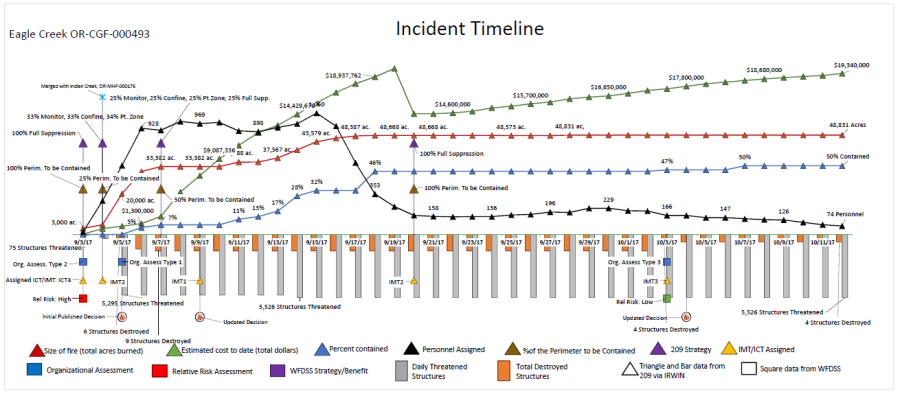
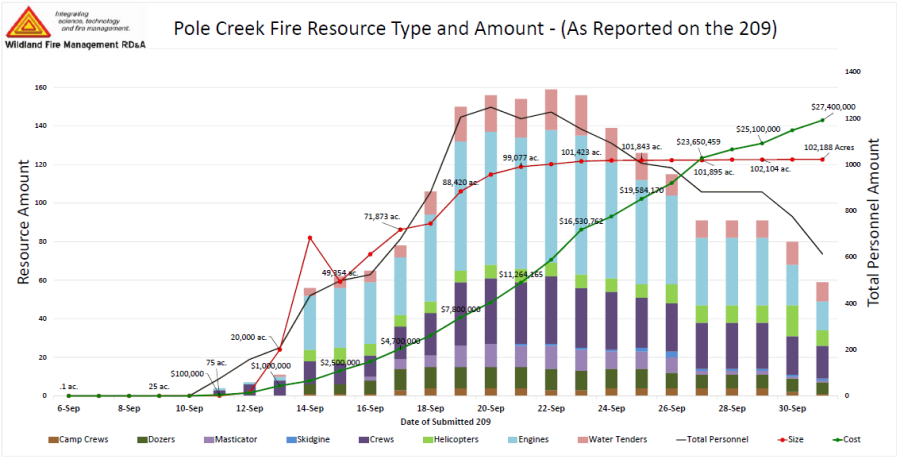
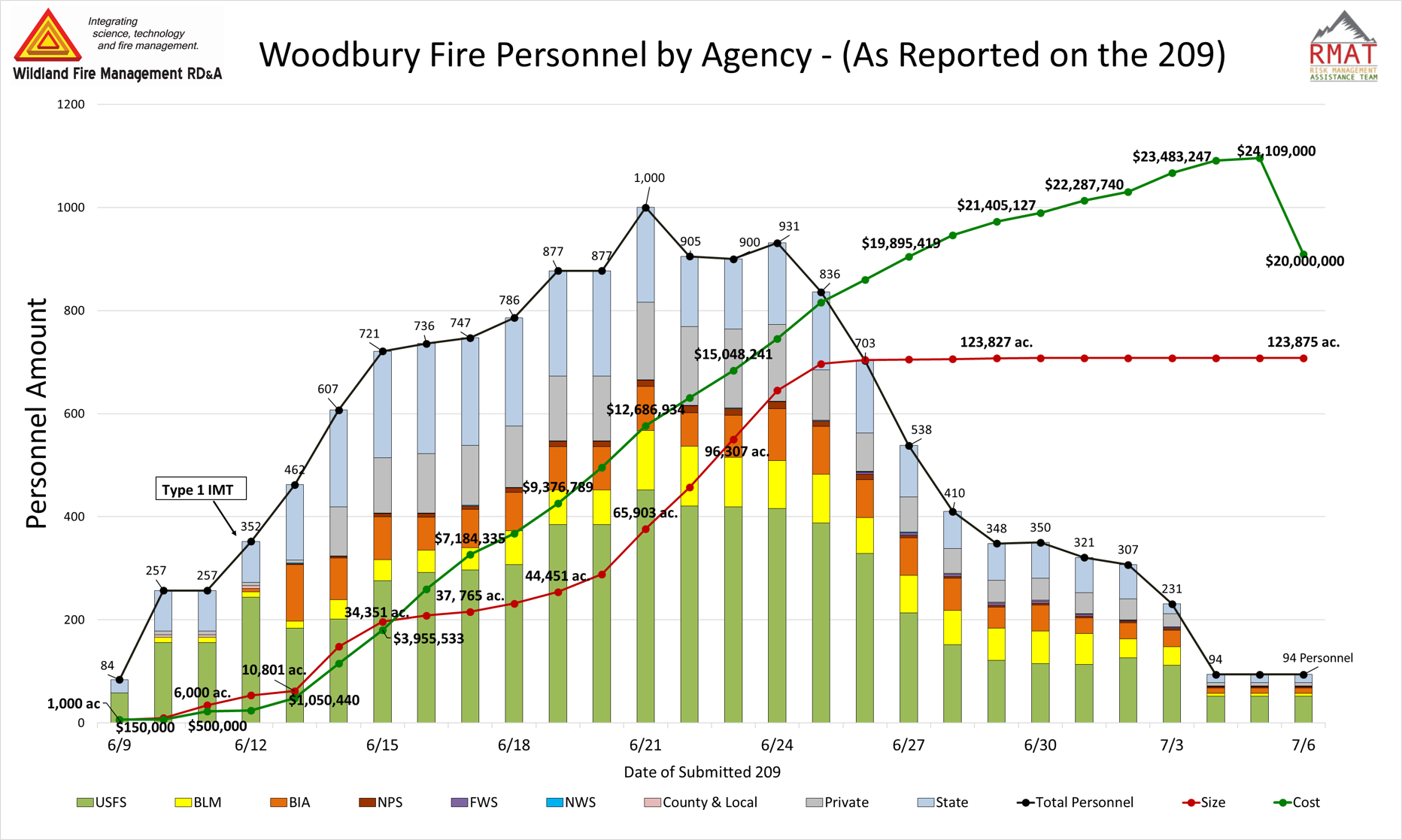
There are three types of timelines: INCIDENT, RESOURCE, and PERSONNEL. And there are two ways to create them. The timeline generator on this page produces an interactive timeline that is a combination incident and resource timeline. It can be modified and exported as an image or PDF. However, if you want a more customized timeline -- 3 examples are shown below -- you request this from an RMA analyst who will pull the data from IRWIN and develop a graphic in Excel.
The Incident Timeline is a visual depiction of the basic history of a wildfire. Data are acquired from the Integrated Reporting of Wildland-Fire Information (IRWIN) application, ensuring the Authoritative Data Source (ADS) is used for each data element.
The Resource Timeline visually depicts resource type by date. These data are also acquired from IRWIN, ensuring the ADS is used for each resource data element.
The Personnel Timeline shows the breakdown of personnel by agency; below is an example from the Delta Fire, Shasta-Trinity National Forest, 2018.
Products
Create a Timeline
Enter an Incident ID below in the format 'YYYY-ABCD-000000' where YYYY is a year, ABCD is an agency code, and 000000 is a number. Press enter or click the button to generate your timelines.
Note: While information is available for many wildfires, data for older incidents can be missing or gappy, especially for resource and personnel counts. On the other end of the spectrum, current incidents will have empty graphs until a few days of data are available.
Recently Produced